
Home · Teams call queue monitoring
Microsoft Teams call queue monitoring: real-time visibility for your queues
Microsoft Teams call queues distribute your inbound calls neatly across agents — but out of the box, you can barely see what is happening right now. Call queue monitoring makes it visible: callers waiting, wait time, service level and agent presence, live on any screen. This page covers what Microsoft offers natively with the Queues app, where its limits are, and how Teams Wallboard extends your monitoring with TV wallboards, public links and CSV export.
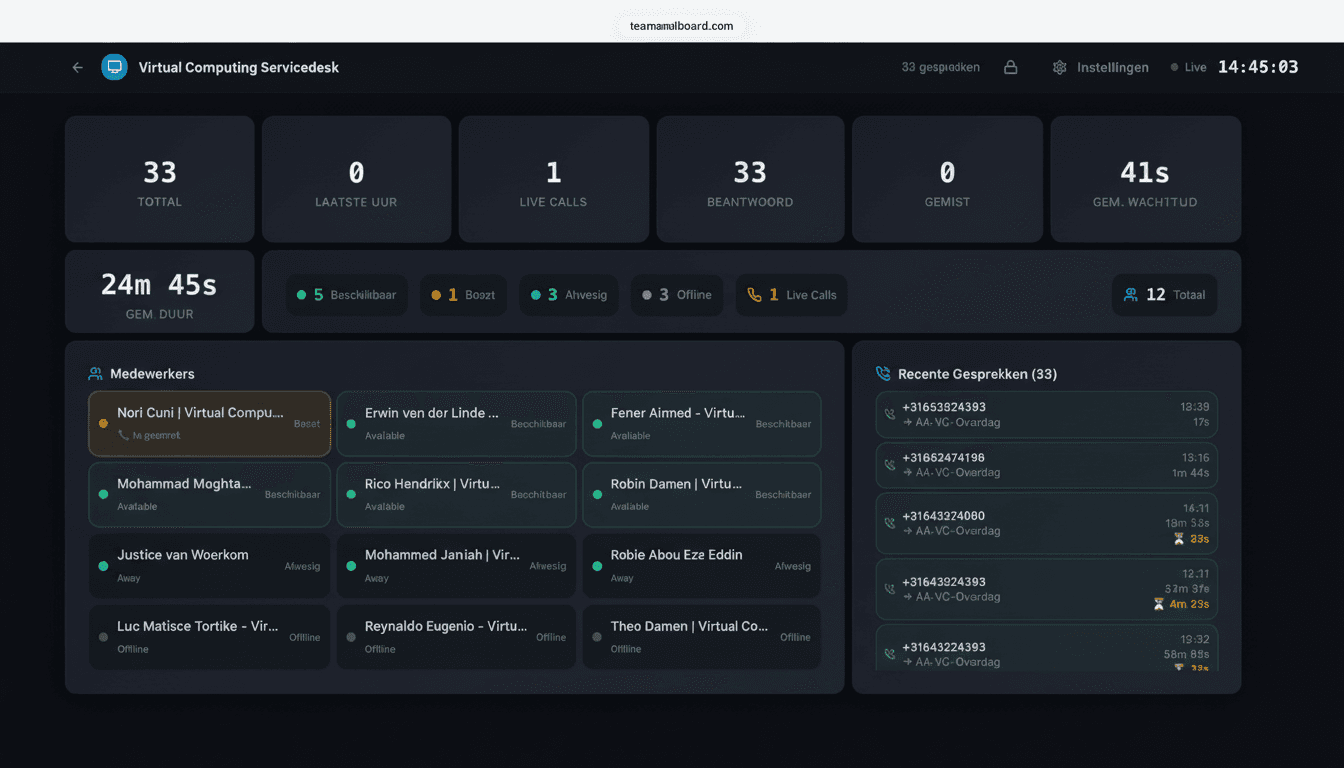
Calls in queue
The number of callers waiting per queue is your earliest steering signal — when it climbs, you add capacity before callers hang up.
Wait time & service level
Average and longest wait time, plus the percentage of calls answered within your target.
Agent presence
Who is available, on a call or away — live from Teams, including remote workers.
What is call queue monitoring?
Call queue monitoring is watching what happens in your queues as it happens, so you can act when it actually matters. A call queue in Microsoft Teams routes inbound calls to available agents — it works invisibly in the background, and that is exactly the problem. Without monitoring, you only find out the queue overflowed after the first callers hung up, and next week's report tells you what you needed to know today.
Good monitoring continuously answers four questions: how many callers are waiting per queue, how long has the longest been holding, are we hitting our service level, and who can jump in right now? Those numbers do not belong in an admin portal only one person ever opens — they belong where the whole team sees them: a second monitor, a browser tab or a TV on the wall. Once the numbers are visible, behavior changes on its own: agents wrap up calls when they see the counter climbing, and team leads reassign people based on data instead of gut feeling.
For monitoring Teams call queues you have two flavors: Microsoft's native capabilities, and a specialized wallboard that watches along through the Microsoft Graph API. They are not mutually exclusive — many teams use both.
What can the native Teams Queues app do — and not do?
Microsoft ships its own Queues app for Teams, and it deserves a fair assessment: for agents and supervisors inside the Teams client, it is a solid app. Licensed agents see real-time metrics for their own queues and can opt in and out of a queue, while supervisors get coaching features such as monitor, whisper and barge to listen in live or step into a call. That does require Teams Premium licenses per user.
The limitations are everything outside the Teams client. The Queues app has no wallboards for a TV on the wall, no public links you can open without a Teams login, no custom drag-and-drop layouts, and no KPI dashboard that combines multiple queues on one board. There is also no CSV export of your call analytics. For team members without a Premium license — or for a screen in the team room — the queue simply stays invisible. Here is how the two compare:
| Feature | Microsoft Teams Queues app | Teams Wallboard |
|---|---|---|
| Real-time queue metrics | Inside the Teams client, per queue, for licensed agents | In any browser, on any screen |
| Monitor, whisper & barge | For supervisors, with Teams Premium | Deliberately no coaching features |
| Managing agents in queues | Opt-in and opt-out per agent | Read-only monitoring |
| Wallboard on a TV | Teams client only | Public link, Yodeck, ScreenCloud |
| Sharing without a Teams login | Teams account and license required | Link with PIN and IP whitelisting |
| Custom drag-and-drop layouts | Fixed view | 12 widgets, unlimited wallboards |
| KPIs across multiple queues on one board | Per-queue view | Combine queues any way you like |
| CSV export of call analytics | Not available | For reporting or Power BI |
| Flat price per organization | Teams Premium license per user | €10/month, unlimited users |
To be fair: if you need monitor, whisper and barge, or want agents to opt in and out of queues themselves, the Queues app is the right choice — or run both side by side. Teams Wallboard deliberately focuses on what the Queues app does not do: monitoring on big screens, visible to everyone, for one flat price per organization instead of licenses per user.
How Teams Wallboard extends your call queue monitoring
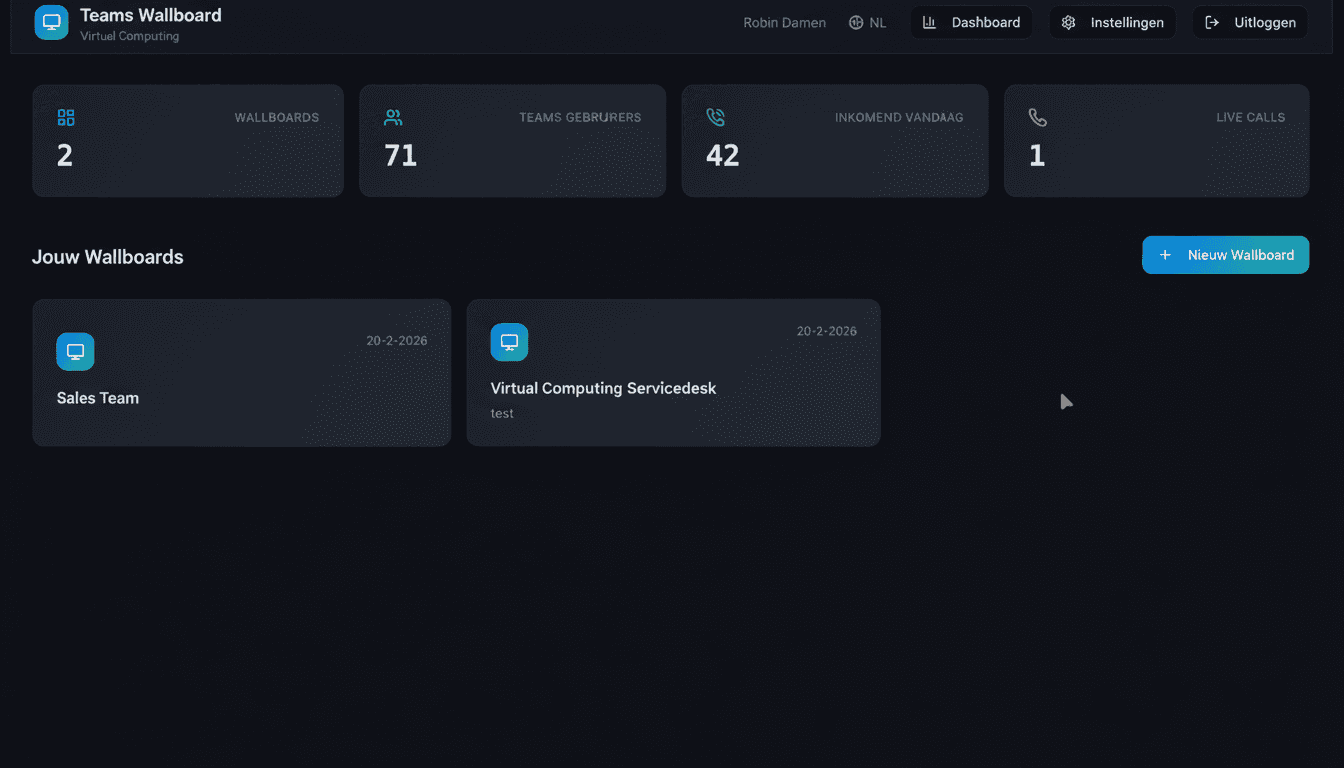
Teams Wallboard reads your queues, call records and agent presence through the official Microsoft Graph API and turns them into wallboards that run anywhere — in a browser, on a second monitor or on a TV in the department. No installation, no Teams Admin Center changes and no Premium licenses: you connect your Microsoft 365 tenant with a single OAuth login in under two minutes.
Wallboards on TV
Put your queue numbers on the wall: open the wallboard link on a TV, Yodeck or ScreenCloud player and the whole team sees the same reality.
Public links, shared safely
Share a wallboard without a Teams login through a public link — secured with a 6-digit PIN and IP whitelisting per board.
Custom KPI layouts
Drag 12 widgets onto the board however you like: calls in queue front and center, service level and presence around it. A dedicated wallboard per team.
30-second refresh
Every screen refreshes automatically every 30 seconds. Presence streams in live via subscriptions — no F5, no stale numbers.
CSV analytics export
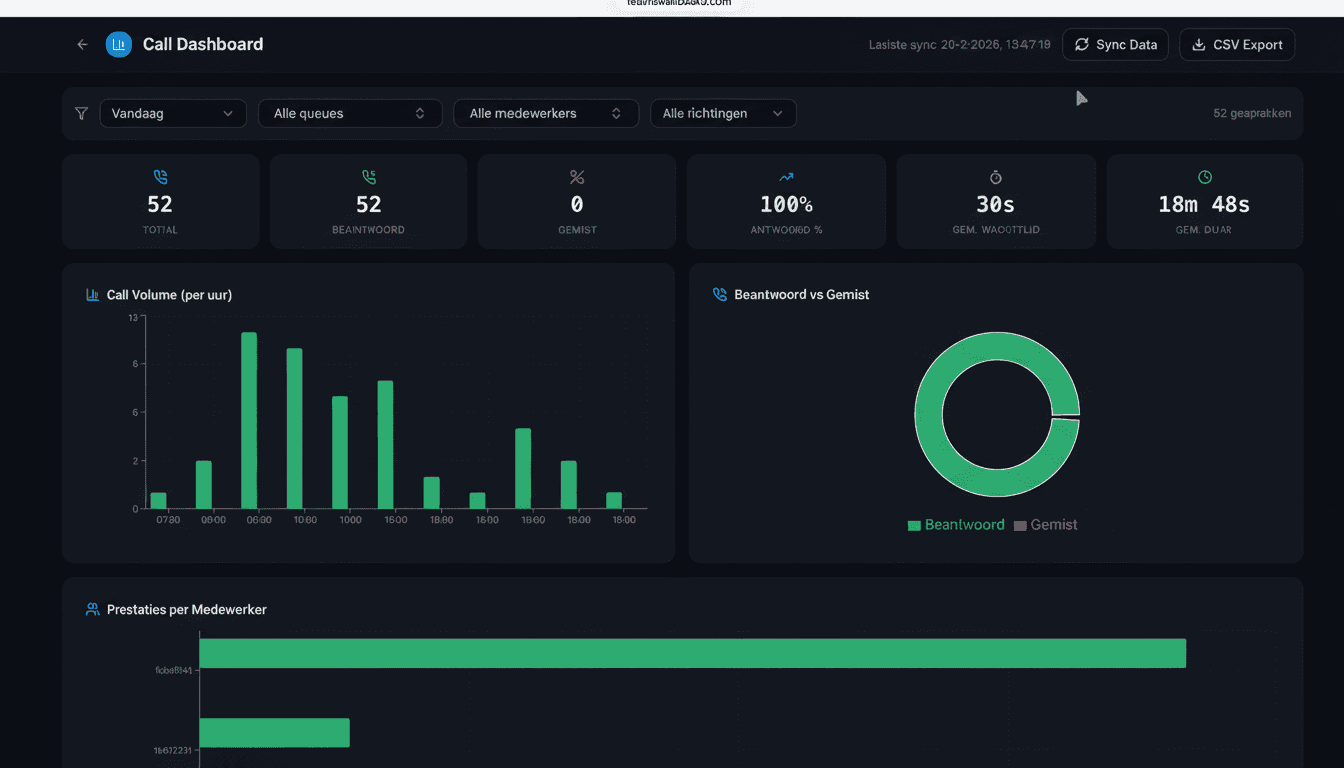
Filter call history by queue, agent and period and export to CSV for your monthly reporting or Power BI.
Read-only and secure
We only read presence and call records through the official Microsoft Graph API — never chat messages or files.
From live numbers to reporting
Monitoring is about right now, but your manager's questions are about last week. That is why good call queue monitoring includes a historical layer: trends per hour, day, queue and agent, so you can back up staffing decisions with data. In the Teams Wallboard analytics dashboard you filter the full call history and export everything to CSV — for your monthly report, an SLA review or further analysis in Power BI. It closes the gap between what the wallboard shows today and what you need to prove afterwards.
Who is Teams call queue monitoring for?
Any organization that calls through Teams Phone and takes more than a handful of calls a day benefits from queue visibility. It does not matter whether you call via Calling Plans, Operator Connect or Direct Routing — every Teams Phone configuration works. These are the teams that get the most out of it in practice:
IT help desk
Monday-morning spike on the support line? The wallboard on the team room TV shows the queue building before the first complaint lands, so second line jumps in right away.
Customer service
Service level and abandonment live on the wall turn your SLA into a shared team goal. Team leads see the impact of an outage or campaign within 30 seconds.
Sales teams
Combine inbound queue numbers with outbound calls per agent and call duration on a single board — healthy competition without a separate CRM dashboard.
Multiple locations
One organization, unlimited wallboards: every office or department gets its own board with its own queues, all under the same €10 per month license.
Frequently asked questions
What is Microsoft Teams call queue monitoring?
Teams call queue monitoring means watching your Microsoft Teams queues live: how many callers are waiting, how long the longest has been holding, what percentage of calls is answered within your service level target, and which agents are available. With those numbers visible, you can act the moment it matters instead of reading next week's report about what went wrong today.
Can I monitor Teams call queues without Teams Premium?
Yes. Microsoft's own Queues app requires Teams Premium licenses per user, but Teams Wallboard works without Premium: all you need is a Microsoft 365 tenant with Teams Phone. For €10 per month per organization you monitor unlimited queues, agents and screens.
How real-time is the queue data on the wallboard?
Every wallboard refreshes automatically every 30 seconds with the latest numbers from the Microsoft Graph API. Agent presence updates in real time via live subscriptions, so you always see who is available, busy or away.
What do I need to start monitoring my call queues?
A Microsoft 365 tenant with Teams Phone and an account with permission to approve the app. Connecting takes a single OAuth login and less than two minutes; your first wallboard is live within 5 minutes. No installation or Teams Admin Center changes required.
How much does Teams call queue monitoring cost with Teams Wallboard?
You start with a 14-day free trial, no credit card required. After that it is €10 per month per organization — unlimited wallboards, queues and agents, cancel monthly. Billing via credit card, iDEAL or SEPA direct debit.
Monitor your Teams call queues within 5 minutes
Connect your Microsoft 365 tenant with a single OAuth login, drag your KPIs onto a wallboard and put it on the wall. Free for 14 days.
No credit card required · €10/month after trial · cancel monthly
Prefer a walkthrough for your team first? Book a demo →